
Setting up Sendgrid SMTP Email in Invizion Accounting
SMTP, or simple mail transfer protocol, is a quick and easy way to send email from one server to another. SendGrid provides an SMTP service that allows you to deliver your email via our server instead of your client or server. Invizion Accounting comes built-in with a configured email client so that you can send and receive emails in Invizion Accounting and append them to documents if required.
Integrating SendGrid's Web API
SendGrid’s SMTP API allows developers to specify custom handling instructions for e-mail using an X-SMTPAPI header inserted into the message.
Step 1: You need to create an API key to authenticate your application. In this case, Invizion Accounting. Learn more about integrating SendGrid with SMTP here
Click on SMTP Relay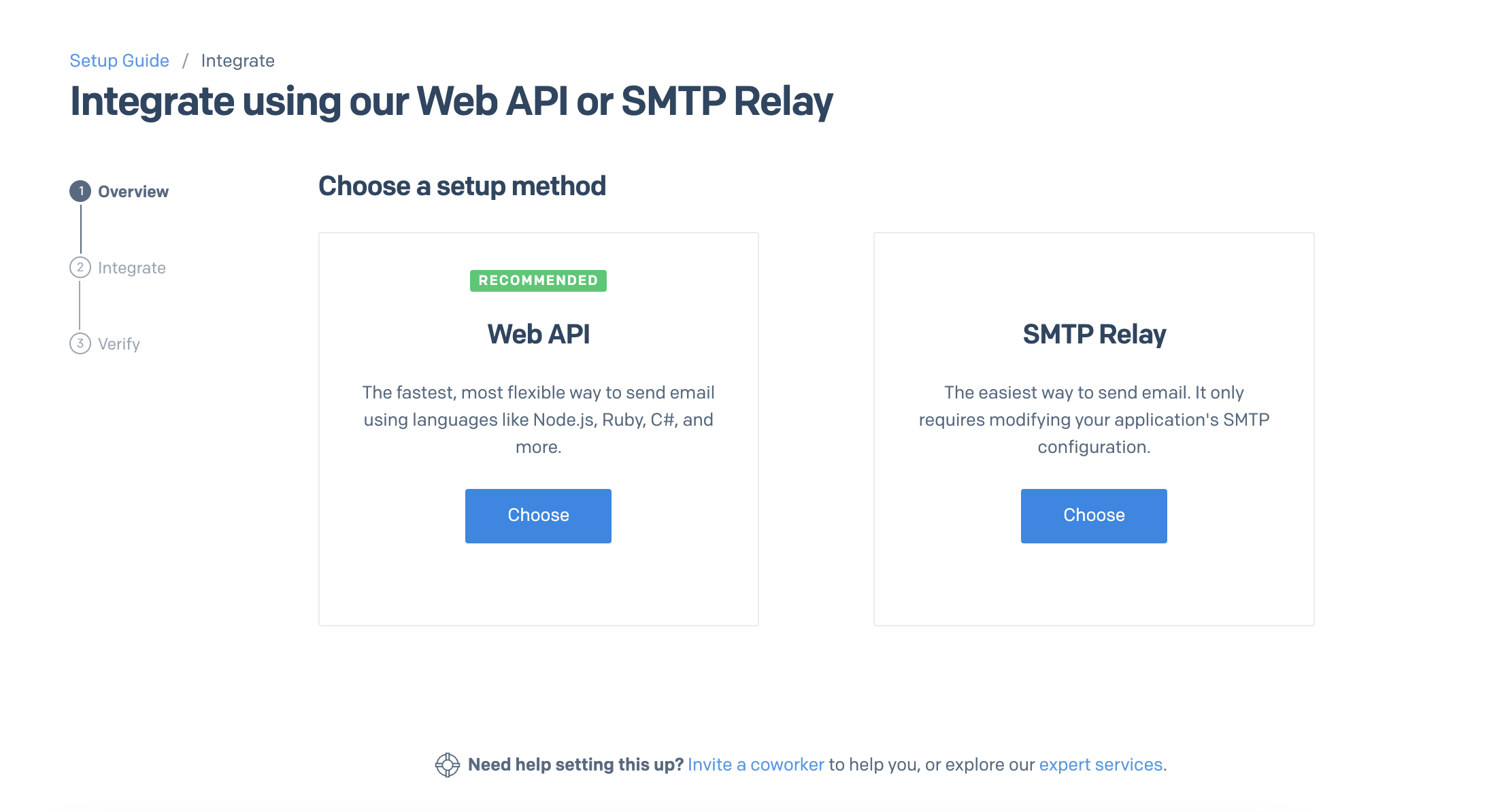
Generate an API Key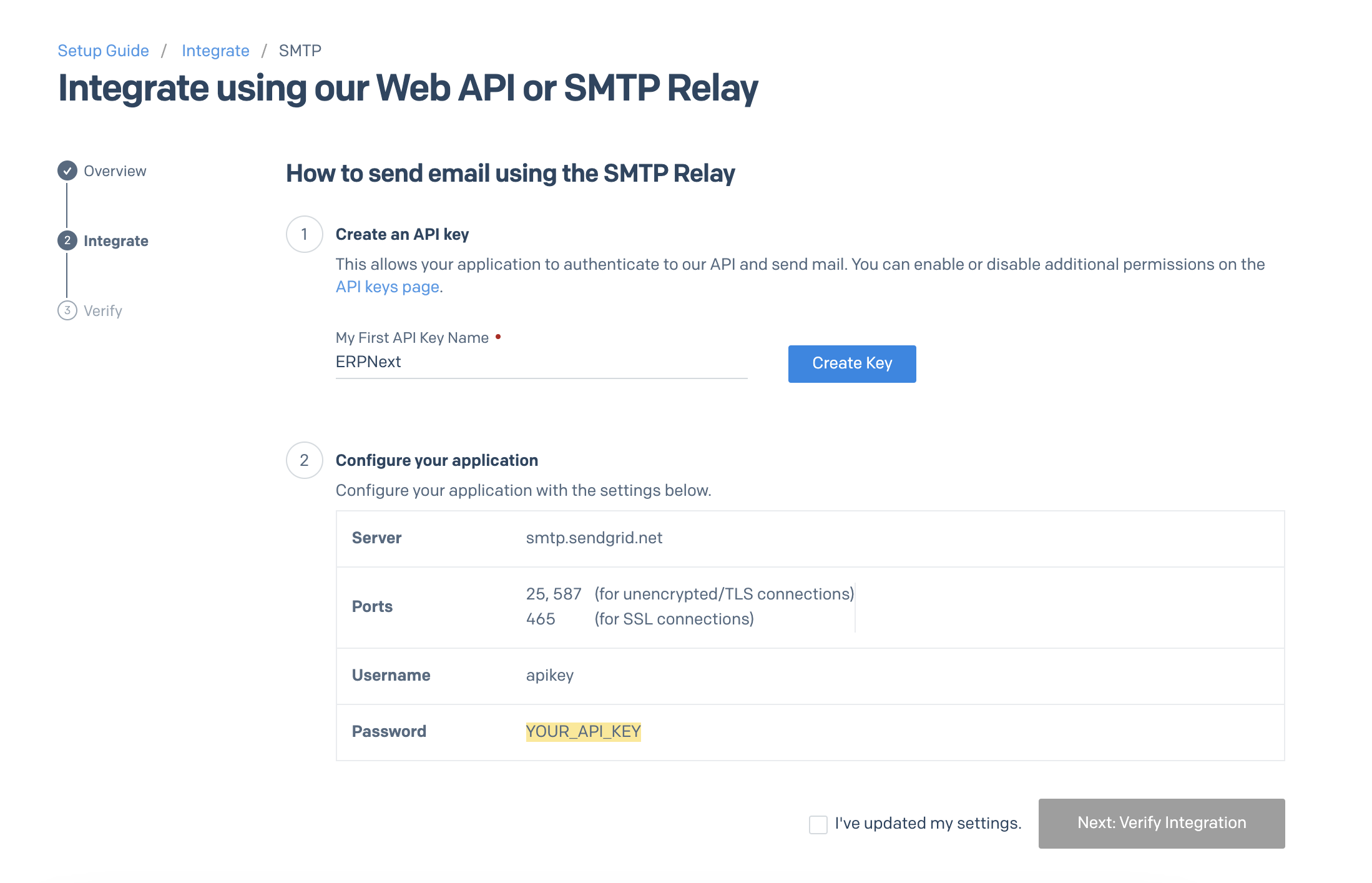
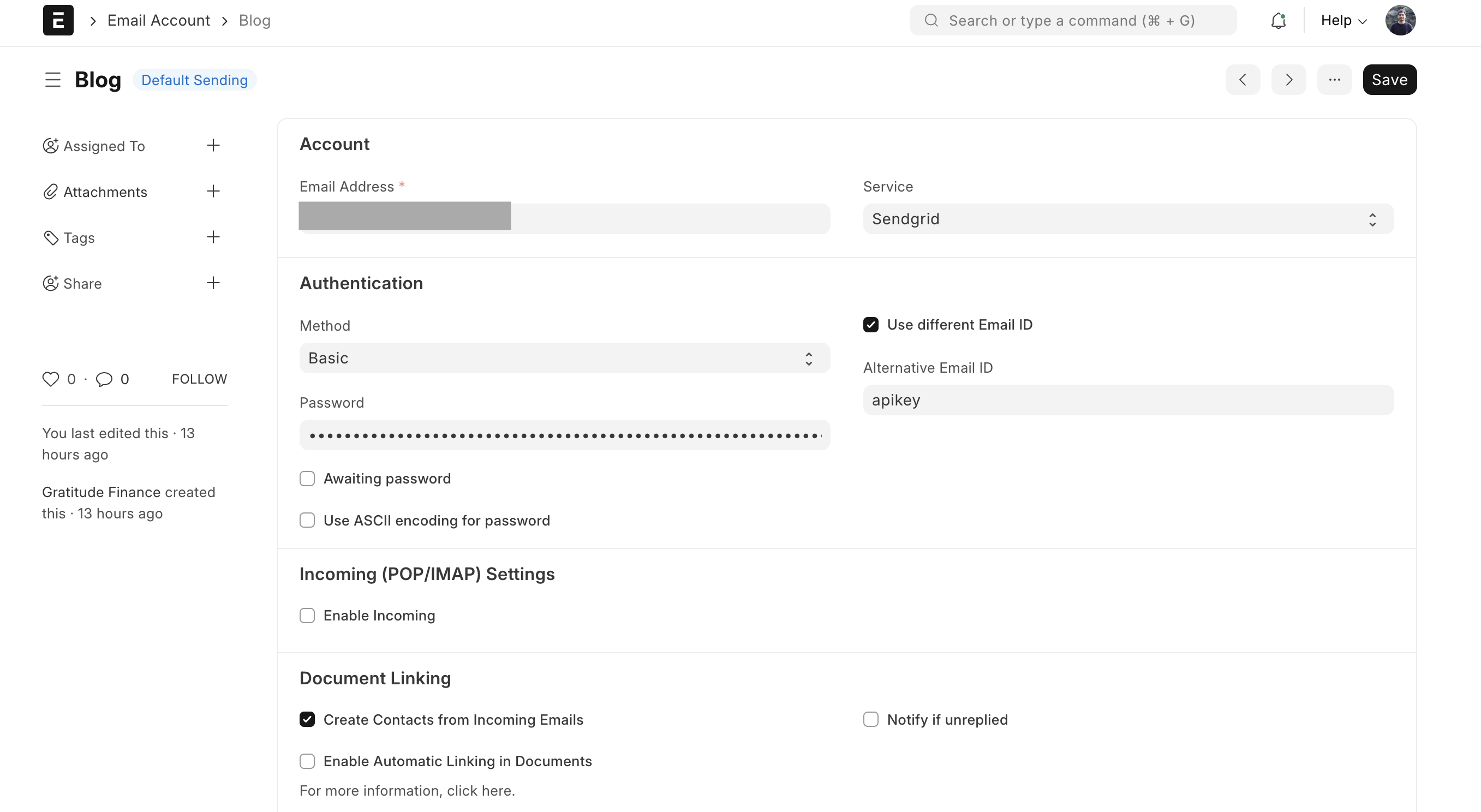
Step 2: Once your API key has been created, you need to configure it in your Invizion Accounting account > Create a New Email Account.
Email Address: Your Email Address
Service: Select "SendGrid"
Check "Use Different Email ID"
Alternative email ID: apikey
Password: <API Key Generated in step 1>
Outgoing server: <server name generated in step 1>
Port: <port number generated above>
For SSL connections, uncheck the "use TLS" option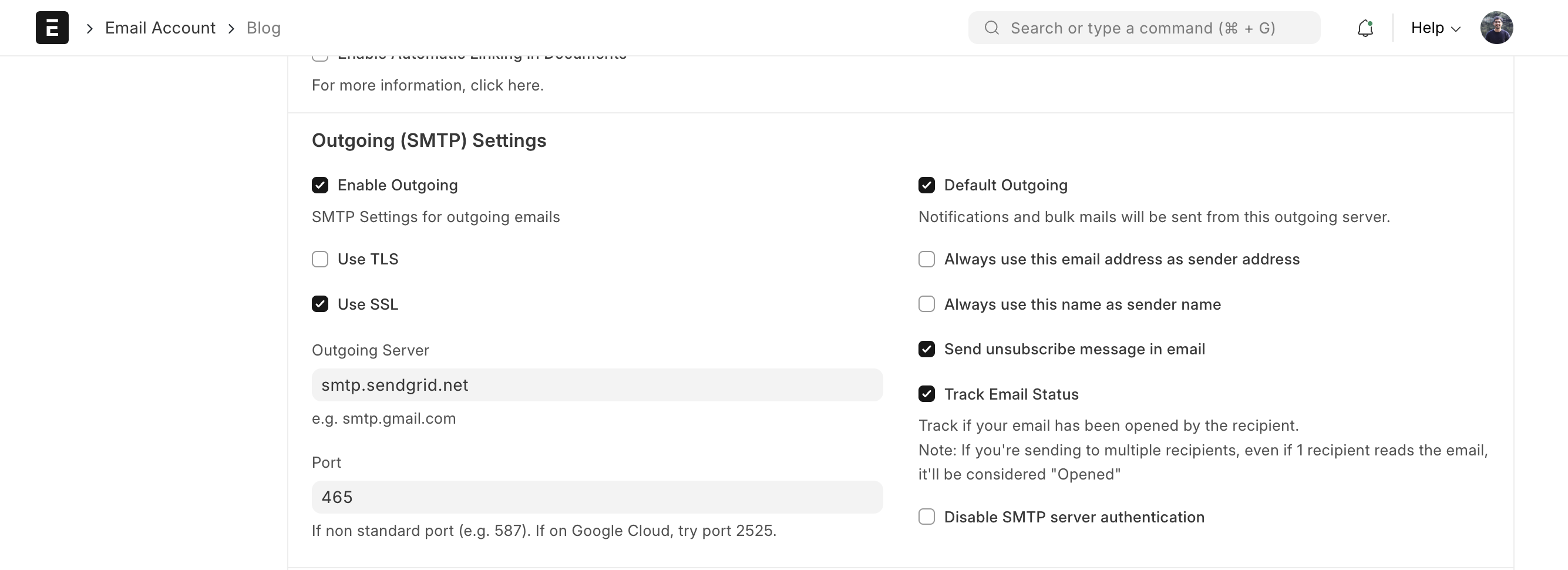
Now save this information and you have successfully configured the SendGrid SMTP Email in Invizion Accounting.
Power to you!